Soundlink
A social app for sharing Spotify playlists — post a set, let followers listen on their own accounts, and keep the conversation going with likes, comments, and direct messages.
- Role
- Mobile frontend · visual design
- Type
- Group project
- Status
- Built & shipped
- Timeline
- Junior year, UCF
- Stack
- React Native, Node, MongoDB, Express
Overview
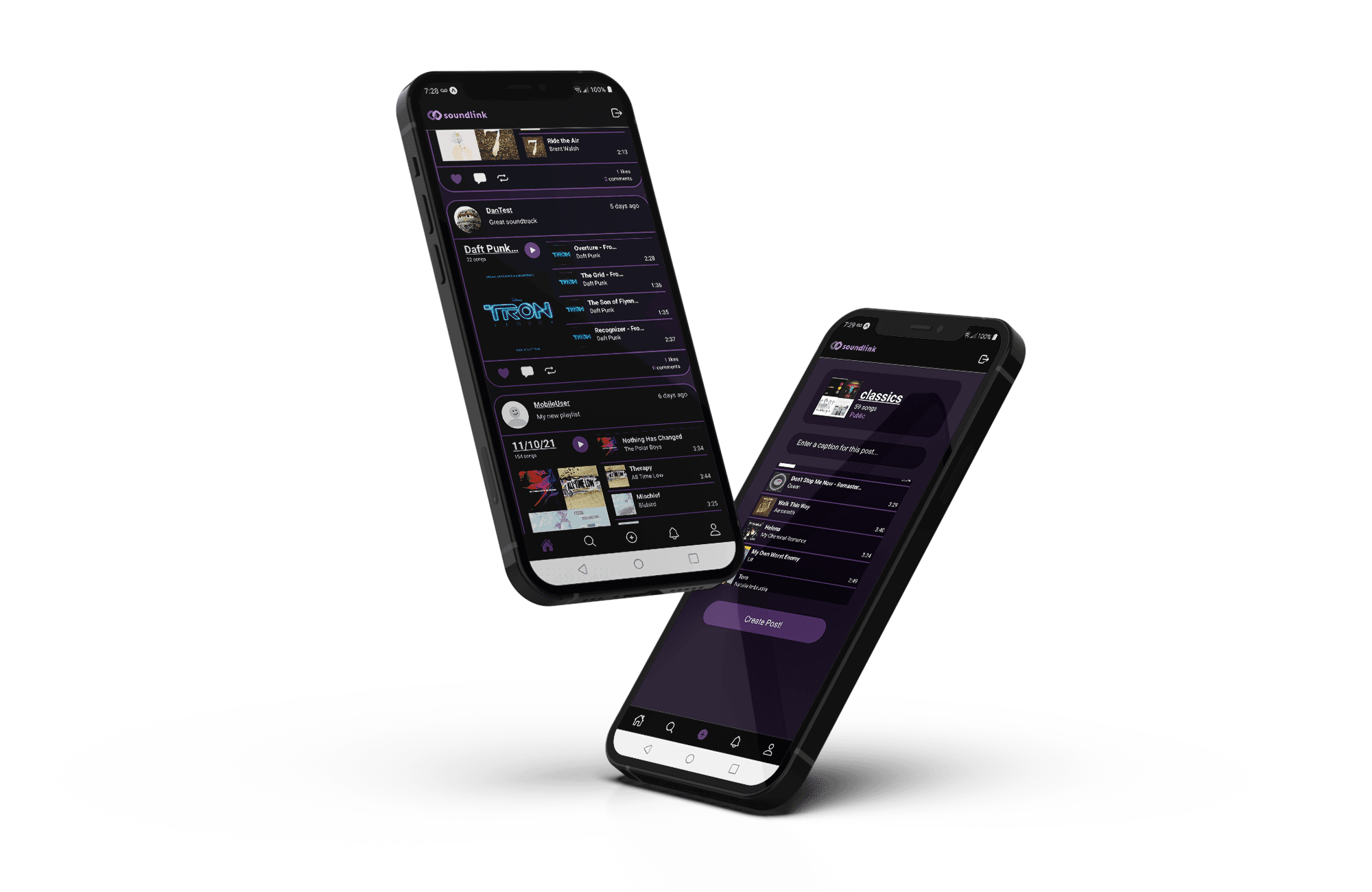
Soundlink is a social network built around playlists instead of photos or short video. People attach a caption to a playlist pulled from Spotify, publish it to their followers, and let others open those tracks in their own Spotify clients. Profiles, verified email accounts, likes, comments, and real-time direct messages sit on top of that core loop. A companion marketing site advertised the app and linked to downloads.
Seven of us built it during my junior year at the University of Central Florida. The stack was MERN in spirit — MongoDB, Express, and Node on the backend — with React Native on mobile instead of React on the web.
What I worked on
Most of my time went into the mobile frontend: the screens where people actually sign in, browse, post, and message. We designed those flows in Figma first, then implemented them in React Native. I also designed the Soundlink mark and several in-app icons in Adobe Illustrator.
Login, verification, and the home feed
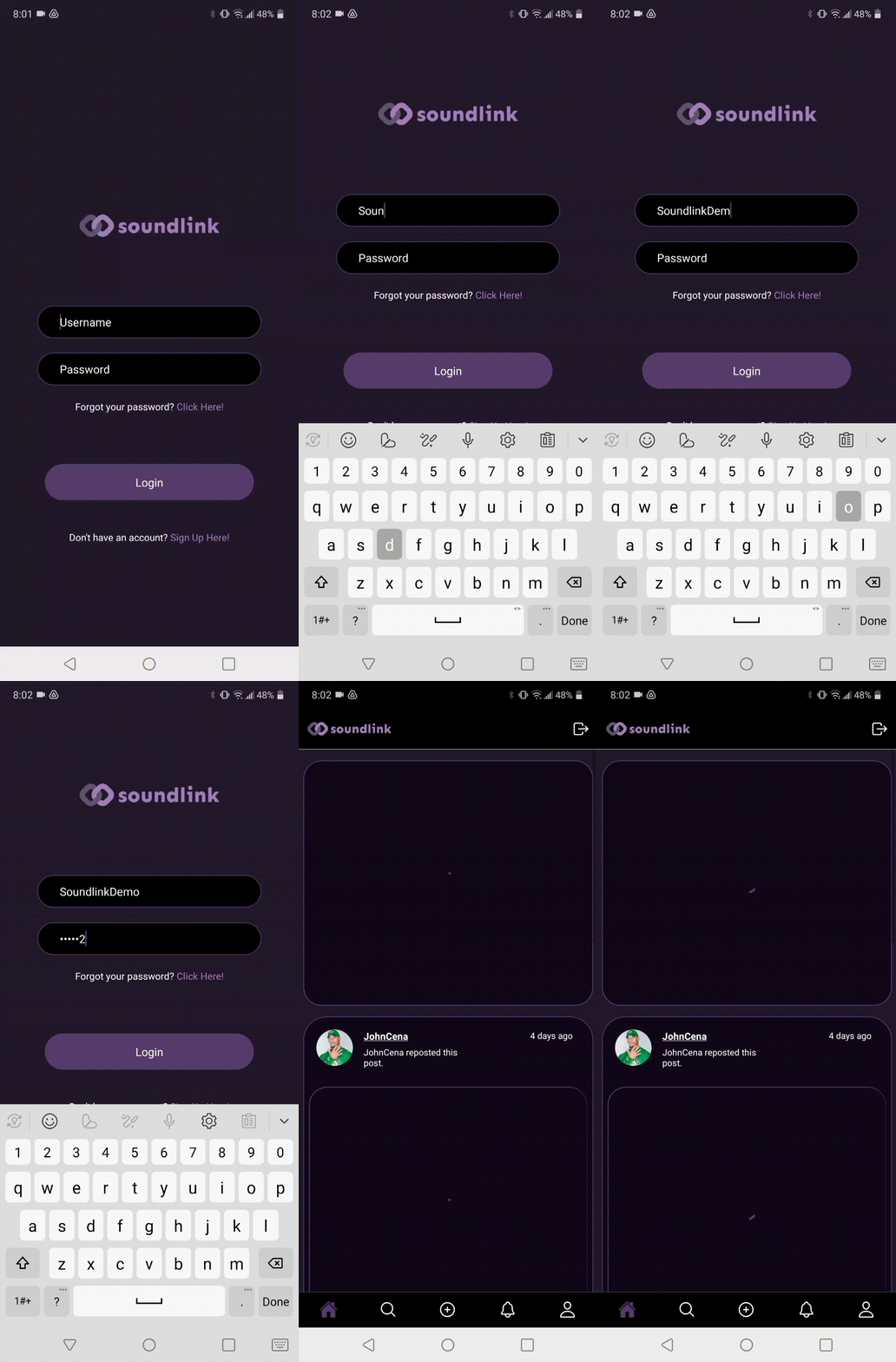
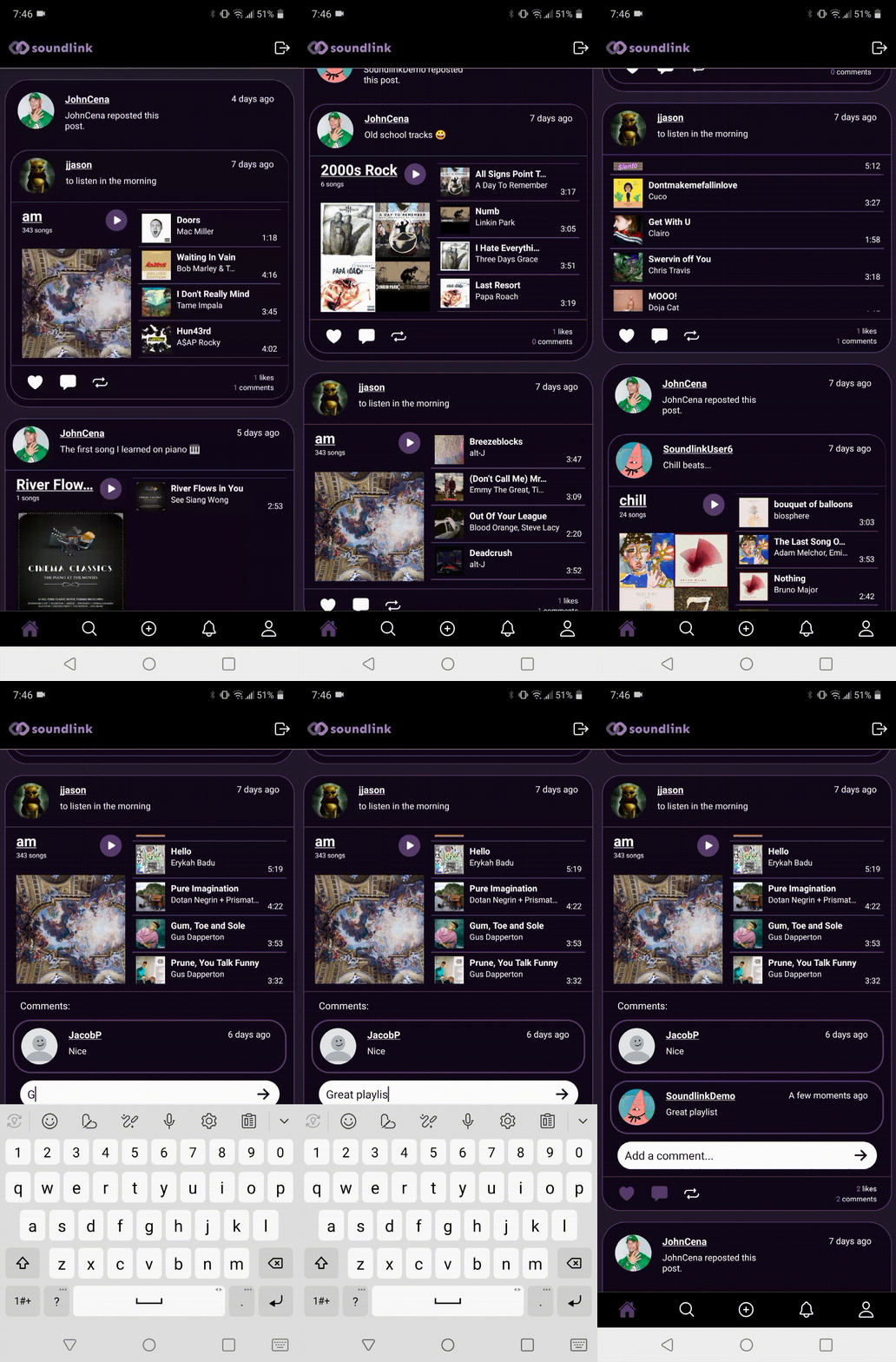
Accounts use email verification and password recovery through the address on file. Once someone is verified they land in the database, build a profile, and can search for people to follow. The home feed is where shared playlists show up for the accounts you follow.
Screenshot 1 of 2
Search, profiles, and posting
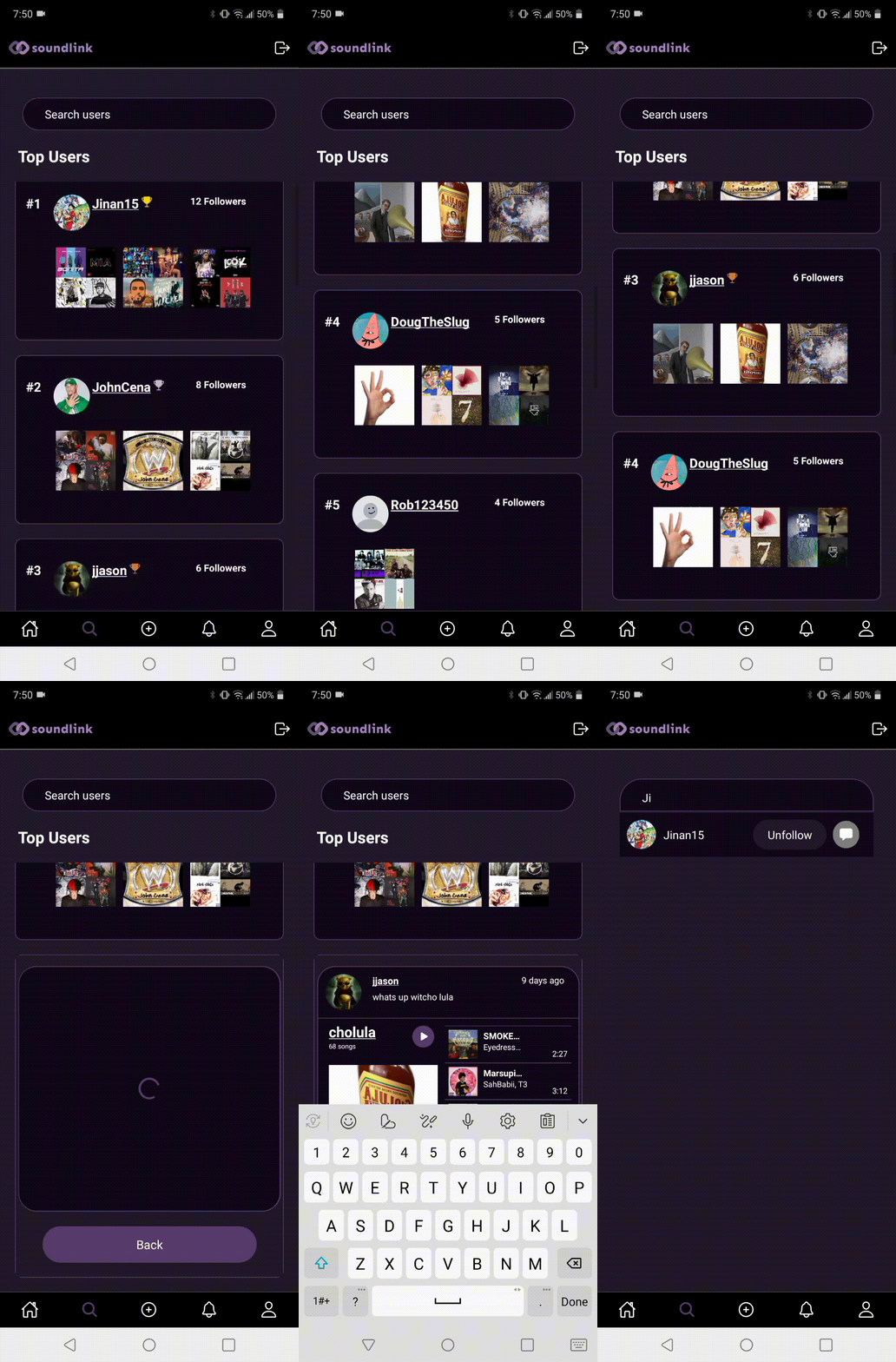
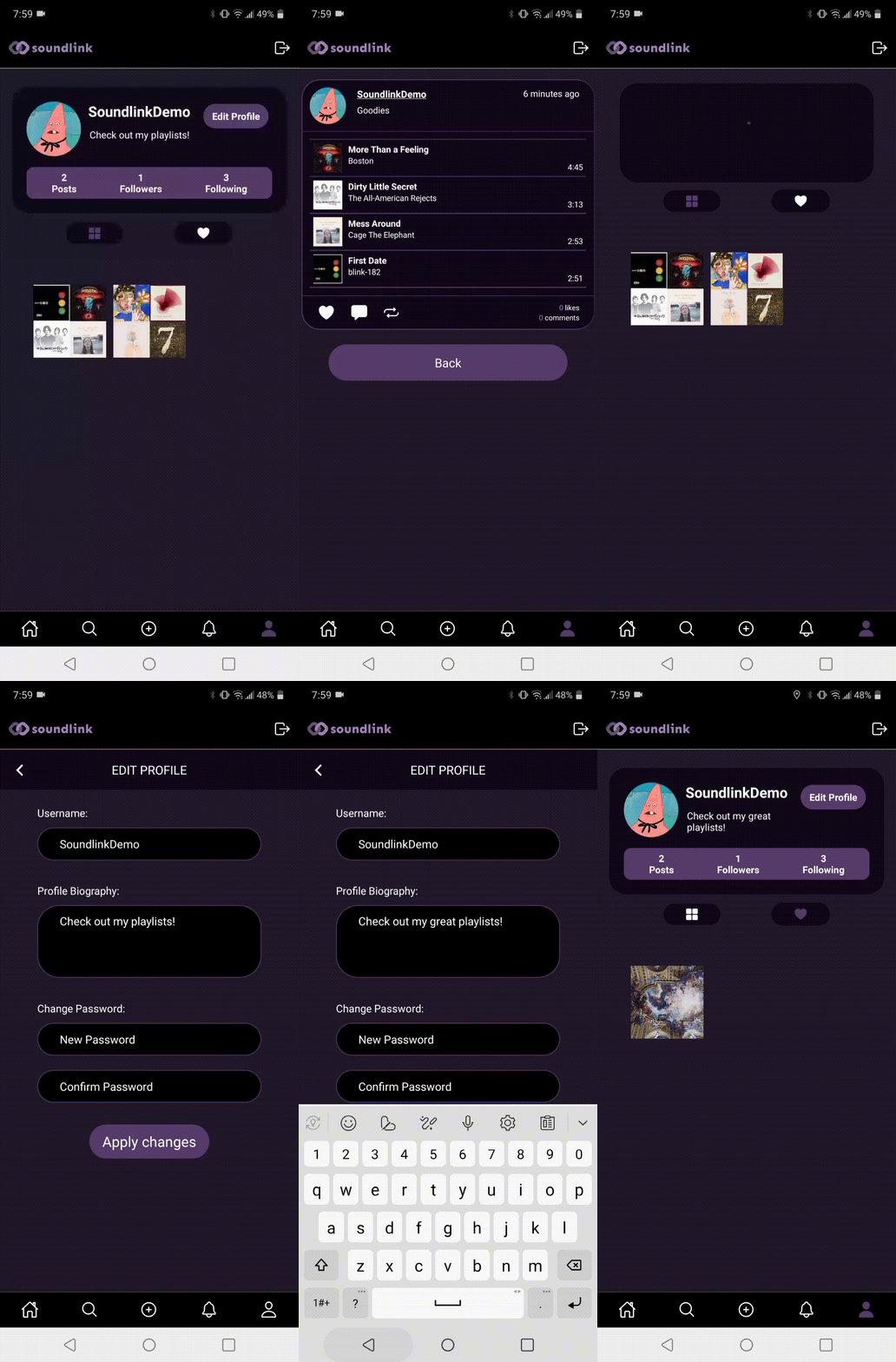
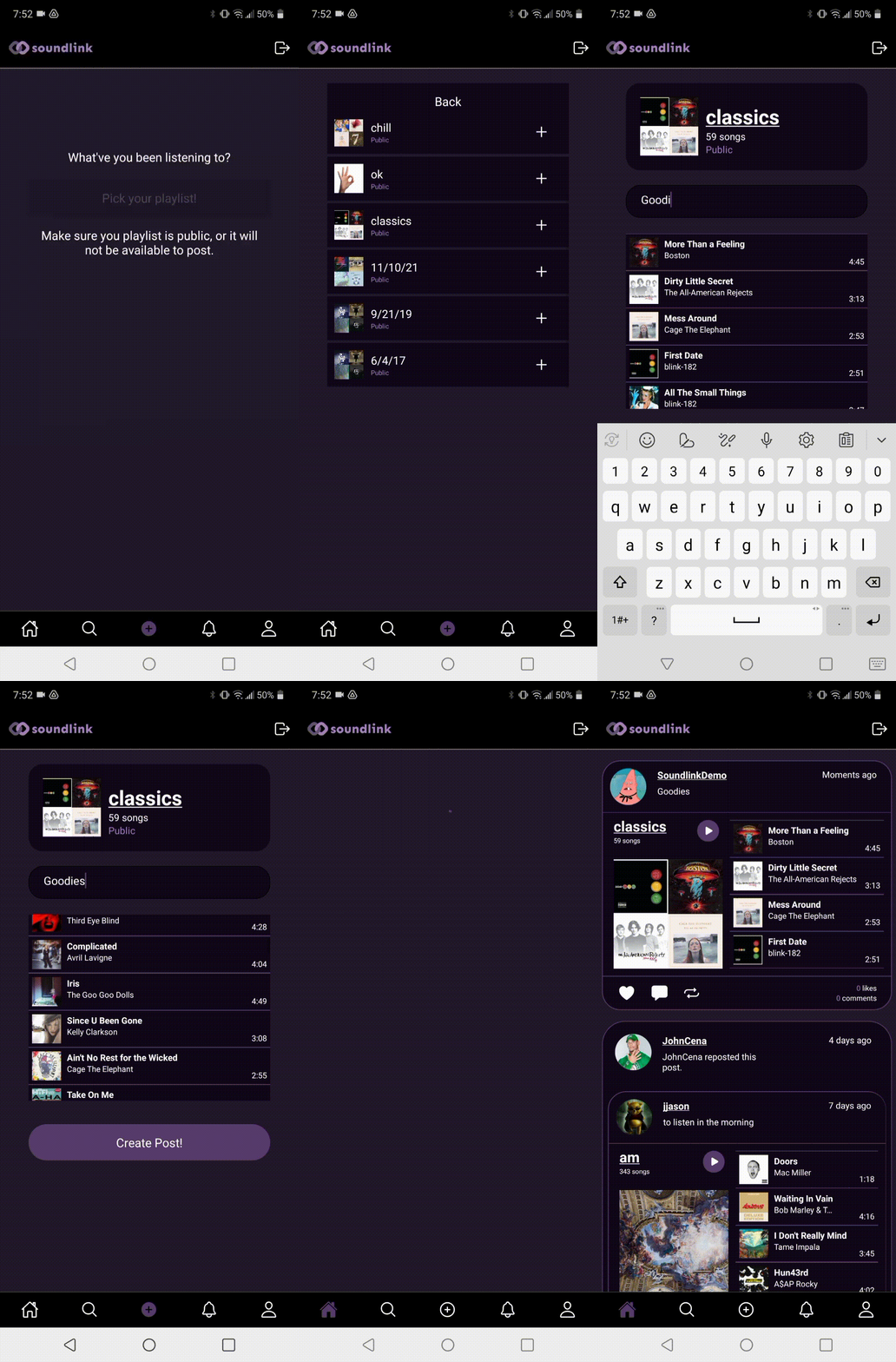
Search and profile screens are where you find other listeners and see what they have shared. Creating a post means choosing a Spotify playlist, writing a caption, and publishing it to followers, who can listen on their own Spotify accounts.
Screenshot 1 of 3
Notifications and messaging
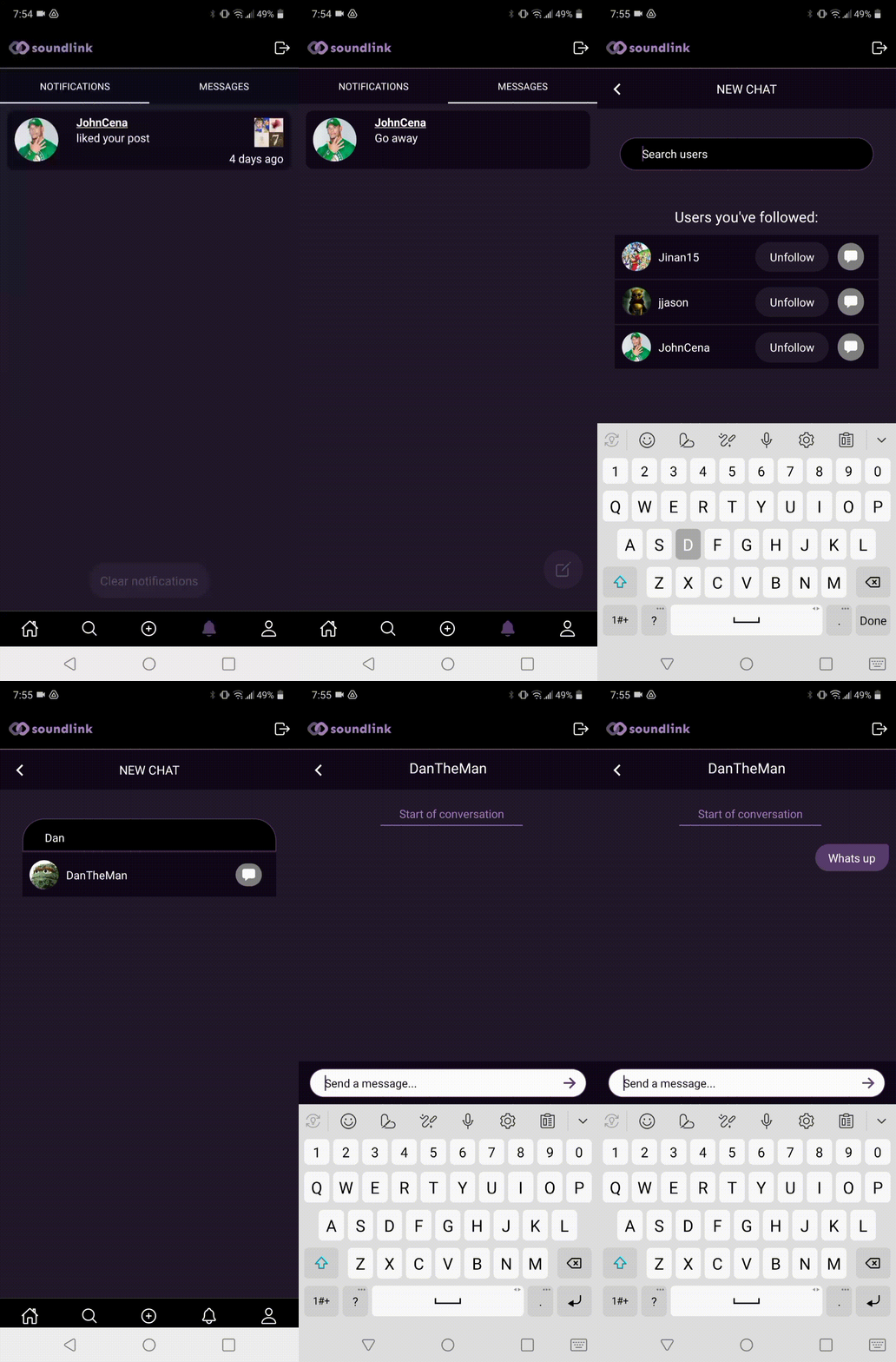
Notifications fire when someone follows you, likes a playlist, or shares your post. For direct messages I paired with a teammate on the backend on a WebSocket-based chat so conversations could update in real time instead of polling an API.
Reflection
This was one of the projects I am most proud of from school — a full team effort with a lot of care spent on making the app feel good to use. The idea of curating and sharing music in a social graph later fed into wabi, where collections and relationships between media are the whole point.